![Loom_Analytics_Logo_Transparent.png]](https://support.loomanalytics.com/hs-fs/hubfs/Loom_Analytics_Logo_Transparent.png?height=40&name=Loom_Analytics_Logo_Transparent.png)
Using this documentation you will be able to integrate your applications into any one of Loom Analytics' products and build advance AI-driven business automation and workflows.
You will need the following to get started:
- You will need an account on a Loom Analytics platform. This account needs to have the correct role assigned, Team Administrator, to access the API Integration section from the navigation bar when you log in to your Loom Analytics account. If you do not have an account on Loom Analytics yet, click here to access the guide to register.
If you have an account on Loom Analytics but you still do not have access to the API Integration section, you can get in touch with our support team by clicking here. -
To access the base URL, click on the gear icon on the top right, and then select Integrations.
On the General tab the base URL will be available. Click on the "Copy" button to copy the URL to your clipboard.
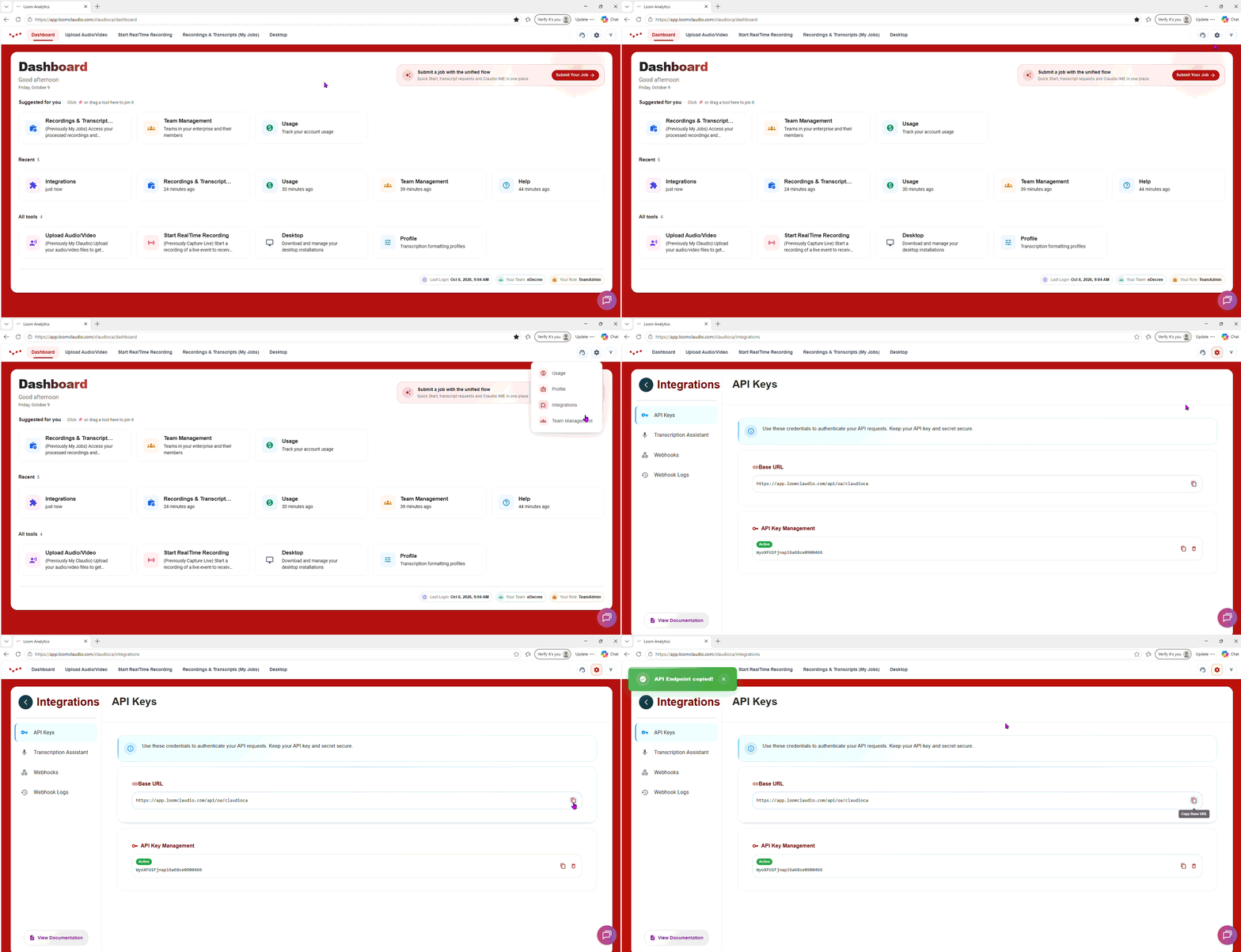
- API Key & Secret - On the same section where the Base URL is available, API key & secret can also be accessed.
The Secret is only available when the key pair is first generated. Save the Secret in a safe file to ensure it is accessible after it is generated. If you misplace the Secret, you will have to Delete the key pair and regenerate it.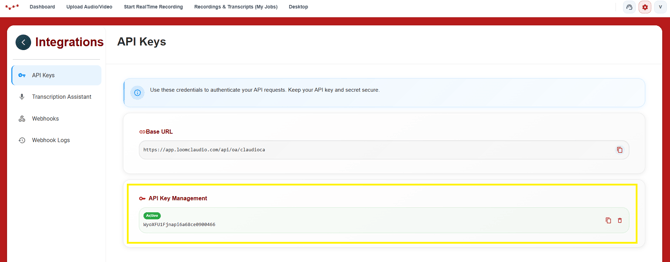
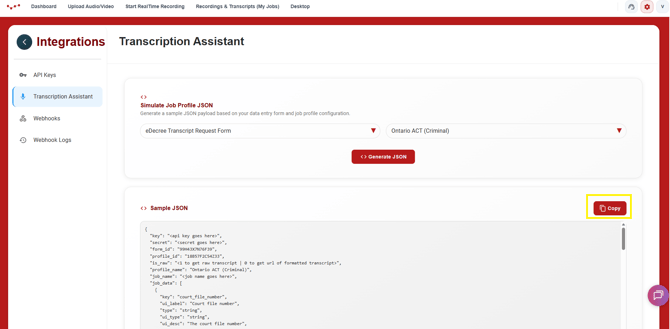
- Sample Job Profile - For the solutions on Loom Analytics, each workflow has a custom JSON format for the body of the job API call, and it depends on the profile and workflow for the job. A sample JSON for the type of workflow job call you will be making through the API can be simulated on the Integrations page - solution tab.
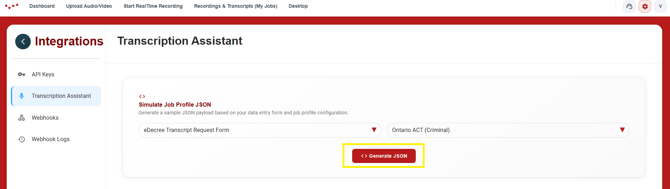
- You will need to copy the Sample JSON from there to paste into your Submit Job API call.
- While not mandatory, we recommend access to Postman or a similar tool to test your API calls with our Postman Collection before you implement the integration with your application. Steps on how to connect to it are available in the Testing with Postman article.
If you have these, you can go to any of our Quick Start Guides for the different solutions to get started.
Loom Analytics API Quick Start Guide: https://support.loomanalytics.com/claudio-api-integration-quick-start-guide