![Loom_Analytics_Logo_Transparent.png]](https://support.loomanalytics.com/hs-fs/hubfs/Loom_Analytics_Logo_Transparent.png?height=40&name=Loom_Analytics_Logo_Transparent.png)
Closed caption files (e.g., .srt files) provide real-time subtitles for videos. For instance, if you have a video recording of a hearing without subtitles, Claudio can generate a closed captions file for you.
Upload a video and obtain closed captions:
Upload a Video: Use Quick Start to upload your video file.
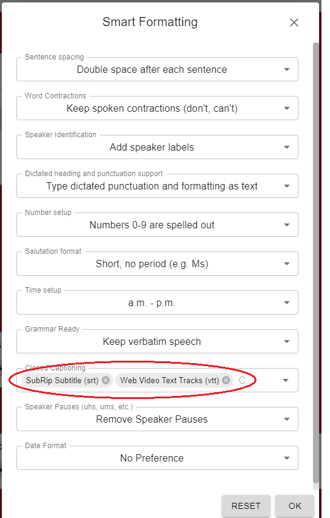
Select Closed Captions: Under the Smart Formatting section, navigate to Closed Captions.
Choose Caption File Types: Select one or both of the following caption file types to download after transcription:
- SubRip Subtitle (srt)
- Web Video Text Tracks (vtt)
If you are submitting an Advanced Transcript Request, you can choose the same closed caption options under the Smart Formatting section.
After transcription is complete:
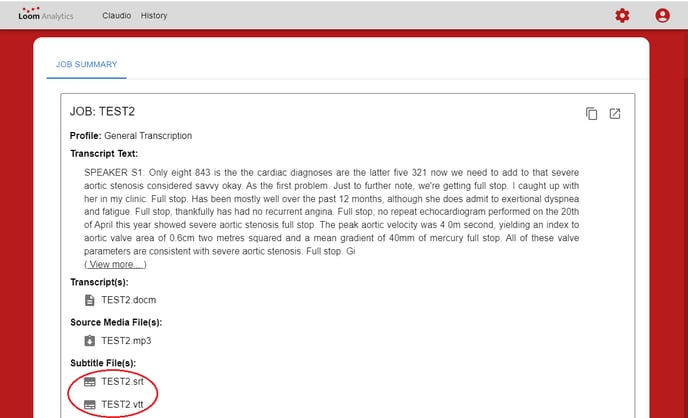
- Navigate to the History tab.
- Find and select your completed transcription job.
- Go to the Subtitle File(s) section to download the requested subtitle/closed caption files.