![Loom_Analytics_Logo_Transparent.png]](https://support.loomanalytics.com/hs-fs/hubfs/Loom_Analytics_Logo_Transparent.png?height=40&name=Loom_Analytics_Logo_Transparent.png)
Cloning a Profile
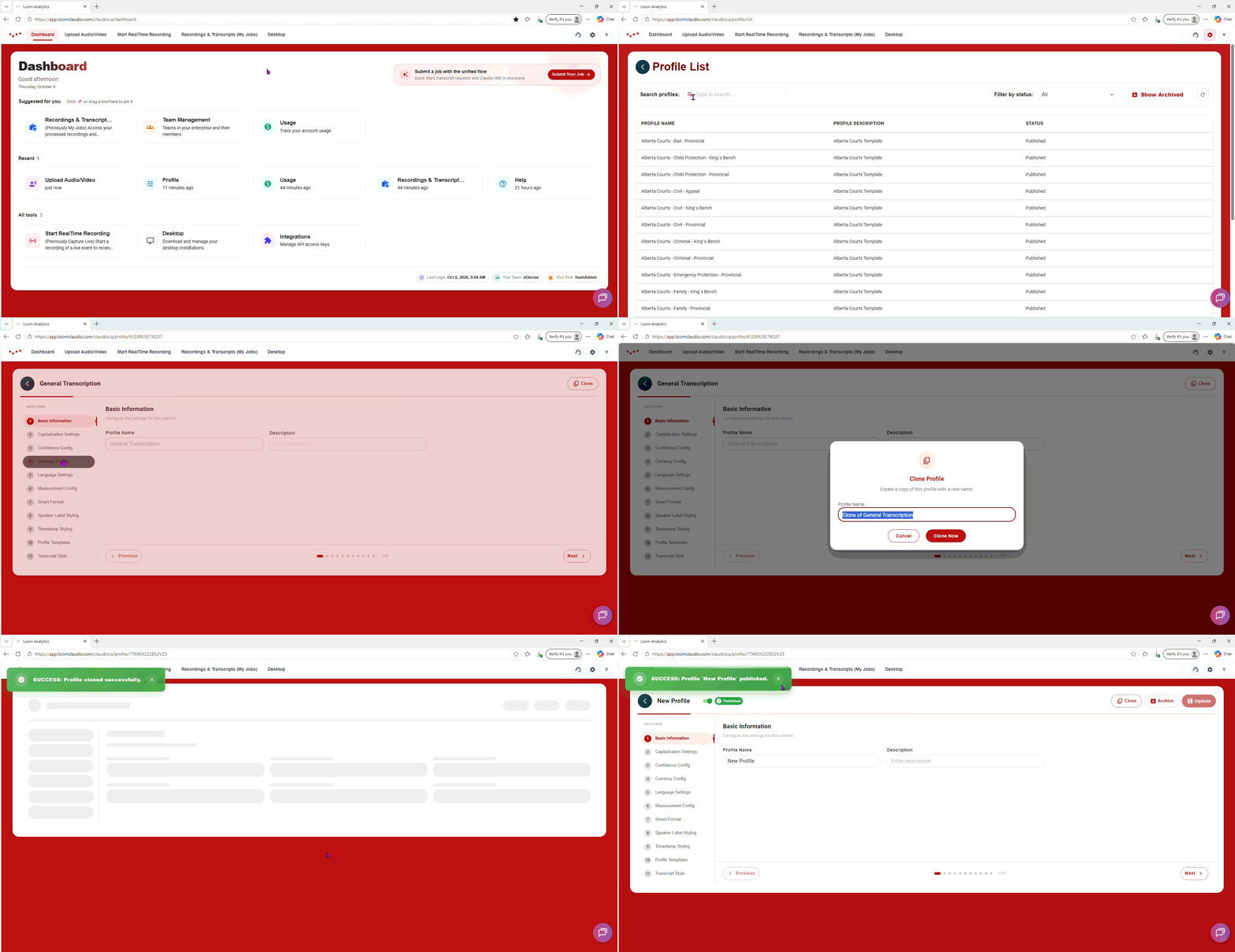
- Click the Gear icon in the top right, and then click "Profile".
- In the Profile Overview page, click on the profile that you want to duplicate. This will take you to the profile editor page.
- Once there, click the "Clone" button at the top.
- Rename the cloned file, and then click "Clone Now".
A notification banner should pop up confirming that you've successfully created a duplicate copy of the profile.