![Loom_Analytics_Logo_Transparent.png]](https://support.loomanalytics.com/hs-fs/hubfs/Loom_Analytics_Logo_Transparent.png?height=40&name=Loom_Analytics_Logo_Transparent.png)
Step 1: Click here to visit the Loom Analytics website.
Step 2: Hover over the Login button and select the region in which you registered your Loom Analytics Web account.
Step 3: Enter your email and password.
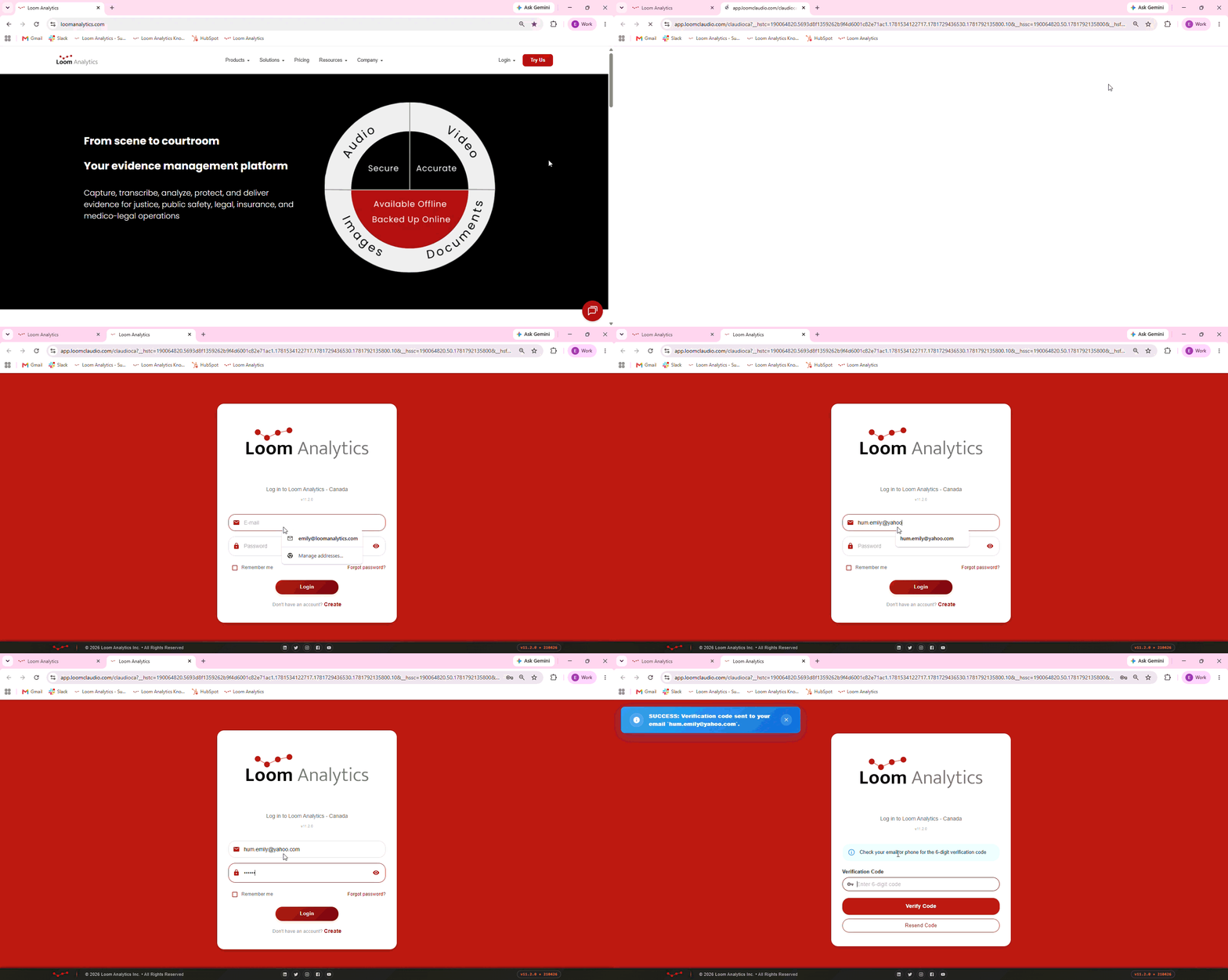
Step 4: Check your email for the 6-digit verification code.
Step 5: Enter the 6-digit verification code and click Verify Code.
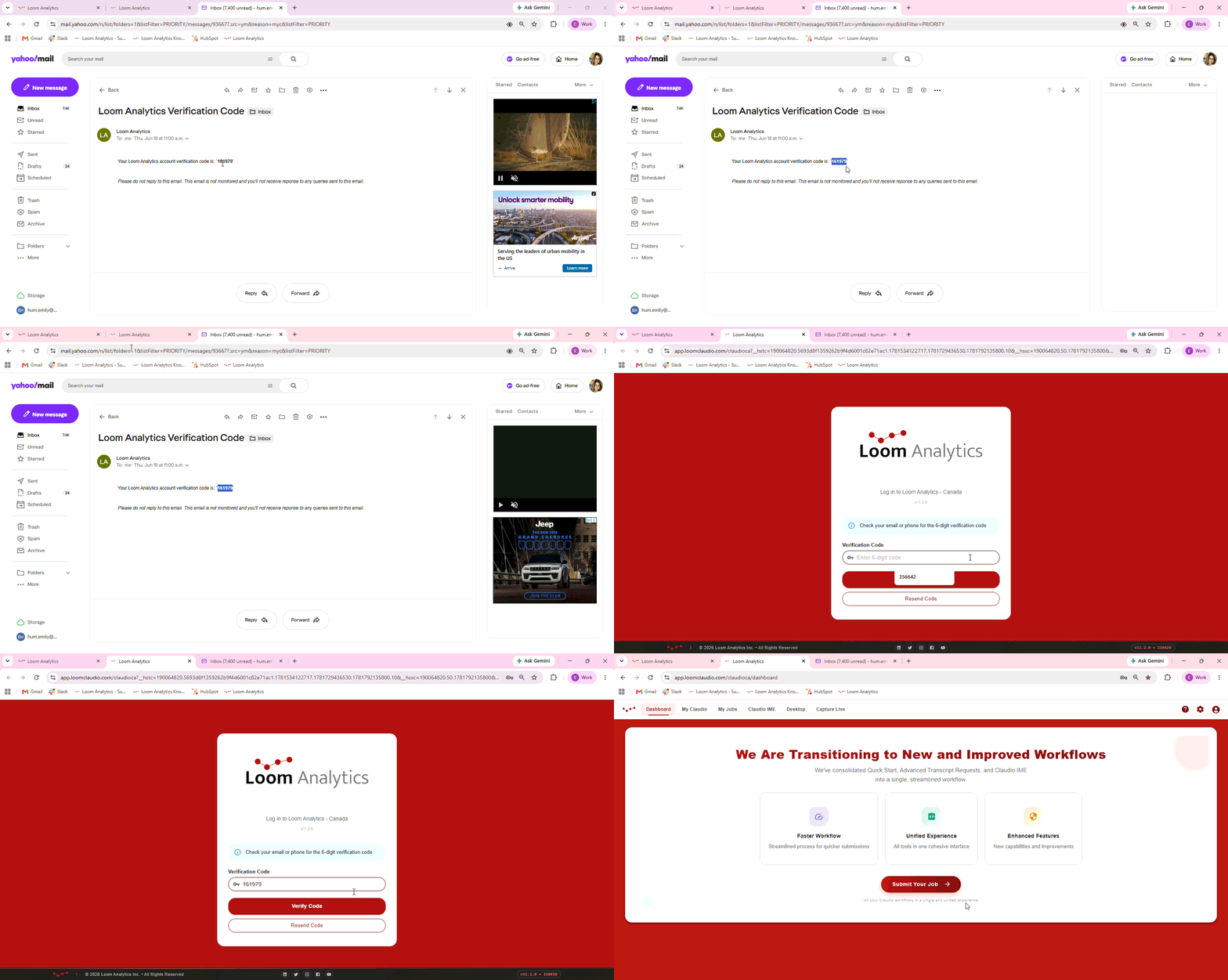
You have now successfully logged into your Loom Analytics Web account!