![Loom_Analytics_Logo_Transparent.png]](https://support.loomanalytics.com/hs-fs/hubfs/Loom_Analytics_Logo_Transparent.png?height=40&name=Loom_Analytics_Logo_Transparent.png)
NOTE: Before following the steps in this guide, you will need to create a trial account.
Table of Contents
1.Log In to Loom Analytics Web

2.Upload Your .dss File

3.Select a Profile

4.Submit the File

5.Retrieve Your Text File
In this guide, we will showcase the steps for you to follow along to convert a .dss audio file into text using Loom Analytics Web.
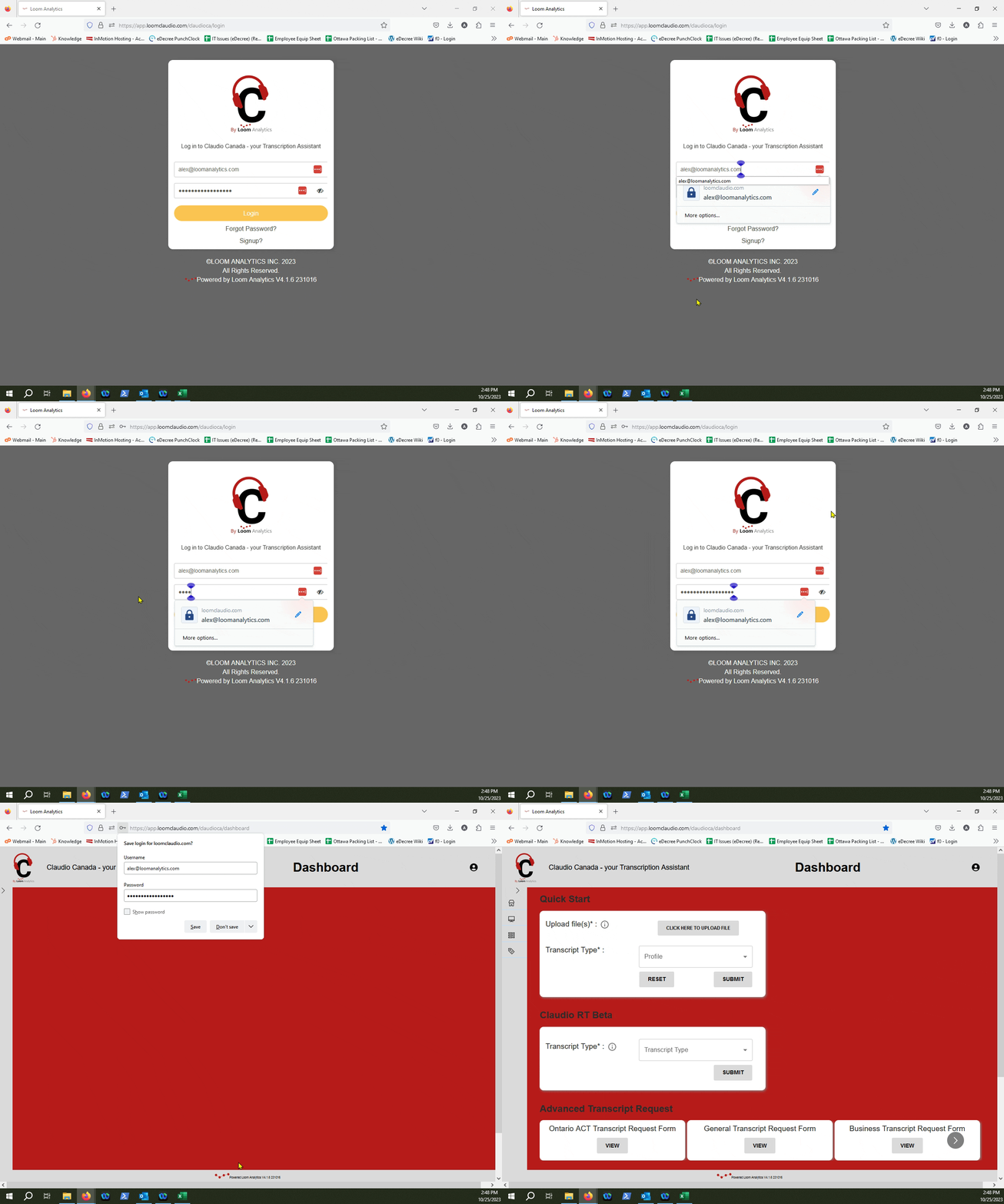
Log In to Loom Analytics Web
Click on the "Click here to Upload file" button.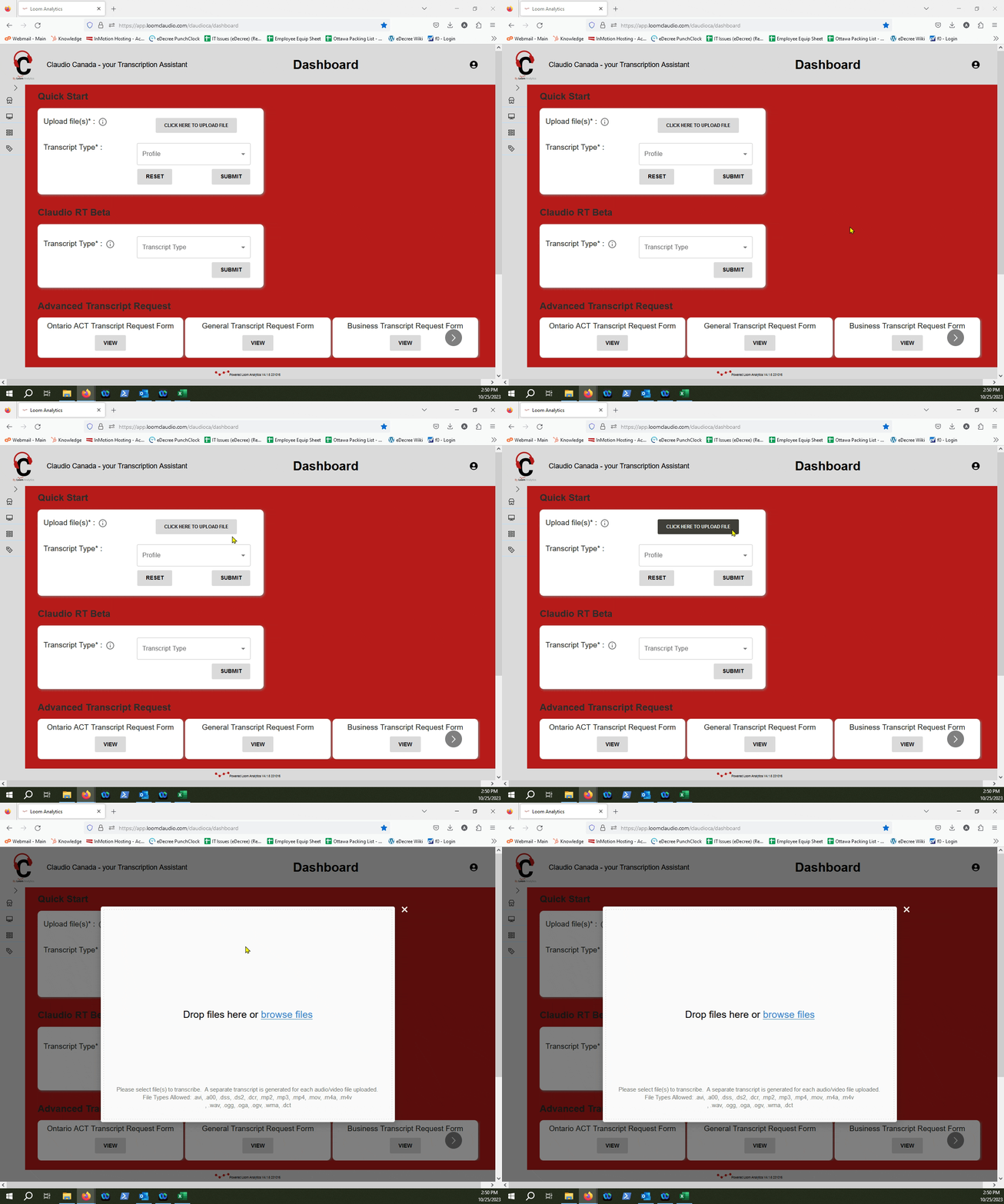
Select your file through the "Browse Files" link, or drag and drop the file into the window
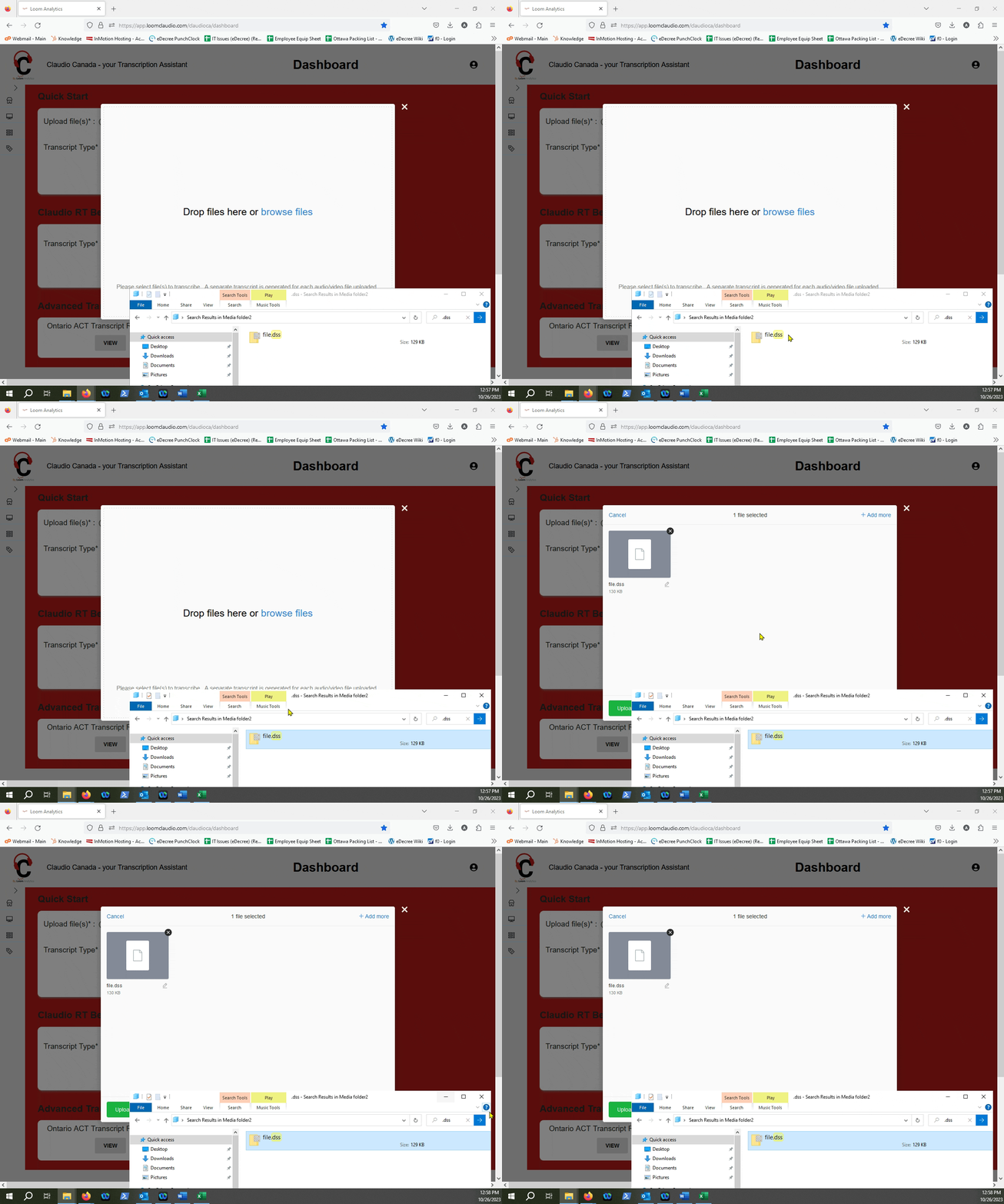
Click "Upload File"
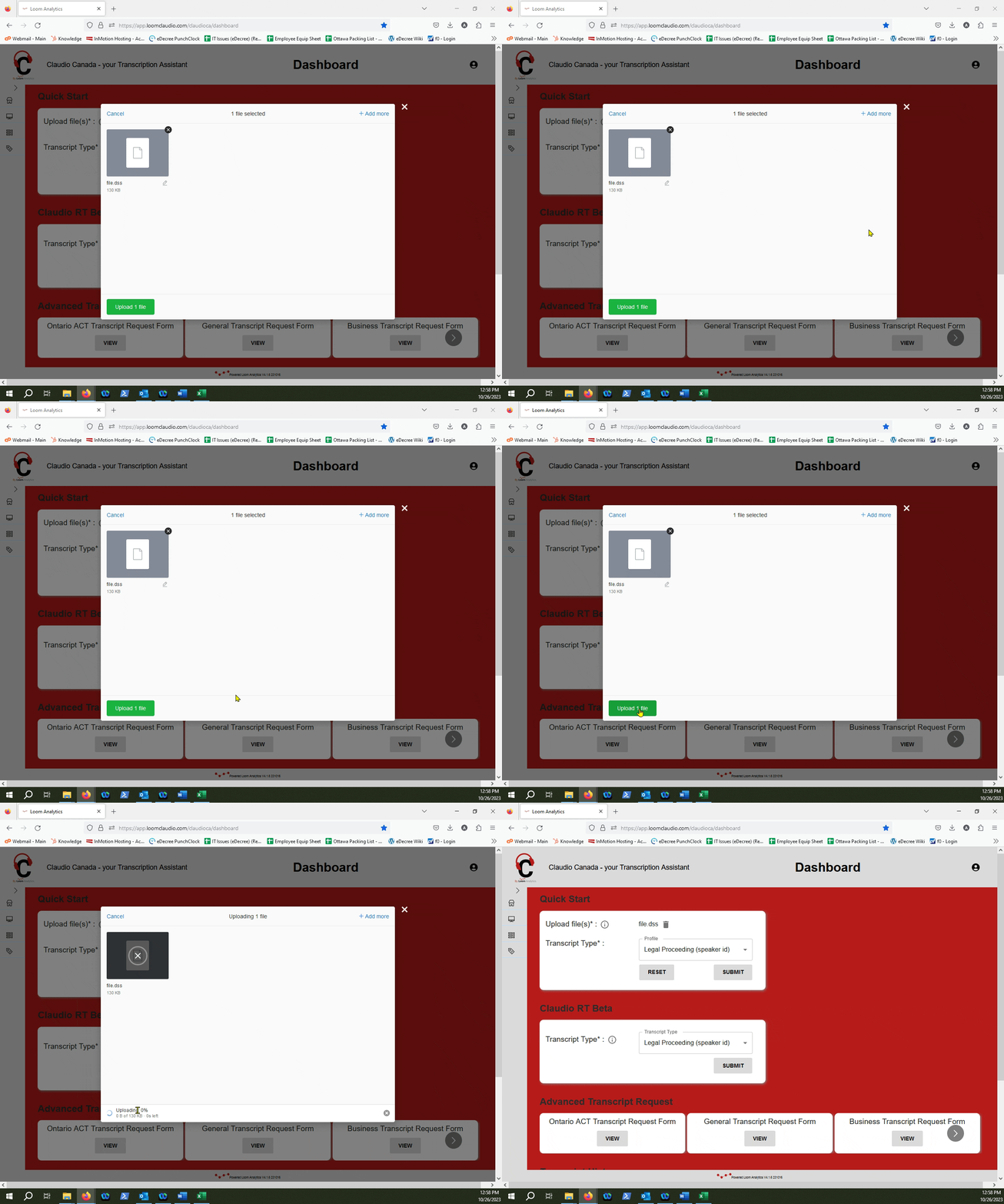
Select a Profile
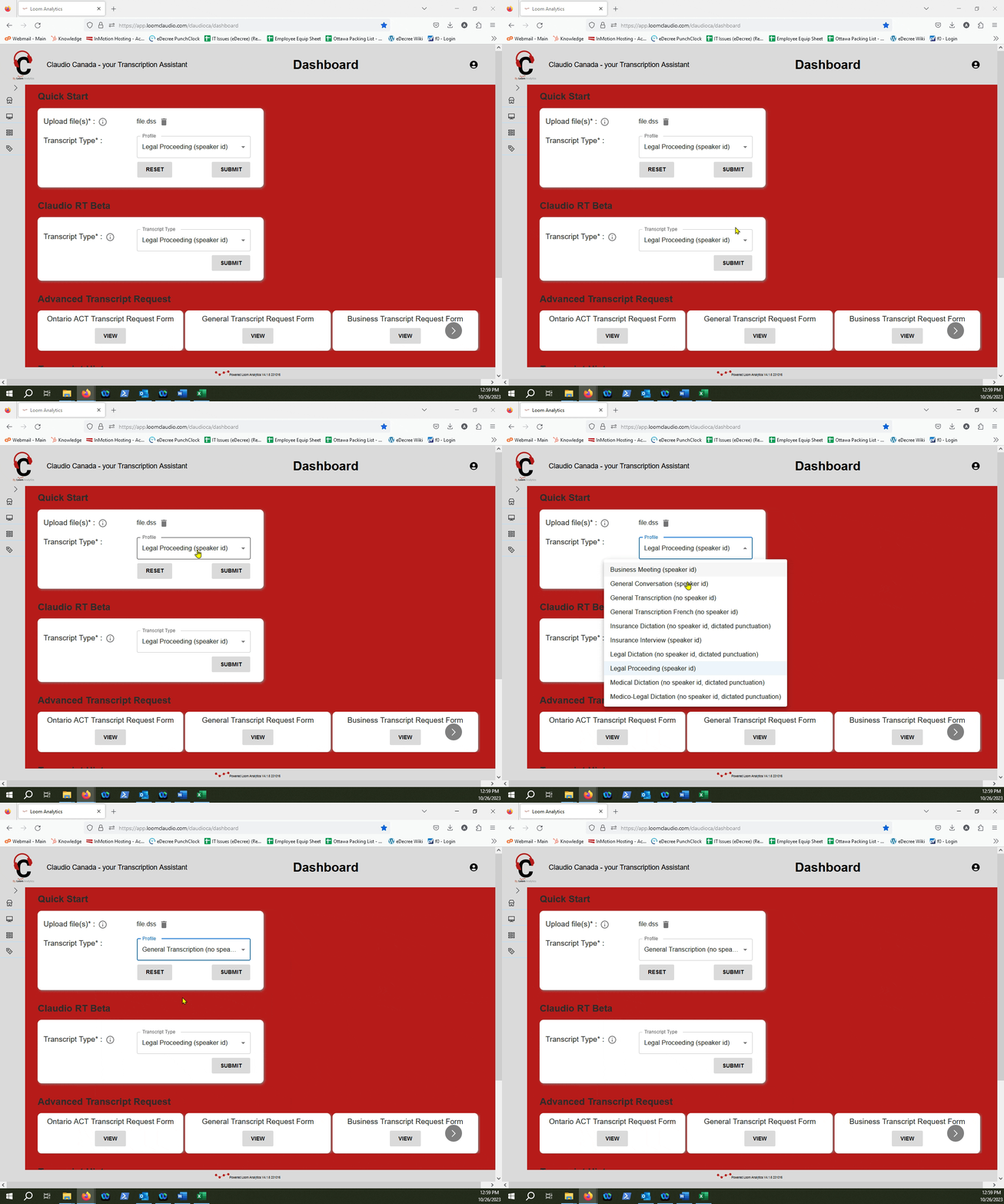
TIP: You can check out which profiles are supported within Loom Analytics in this article.
Click Submit
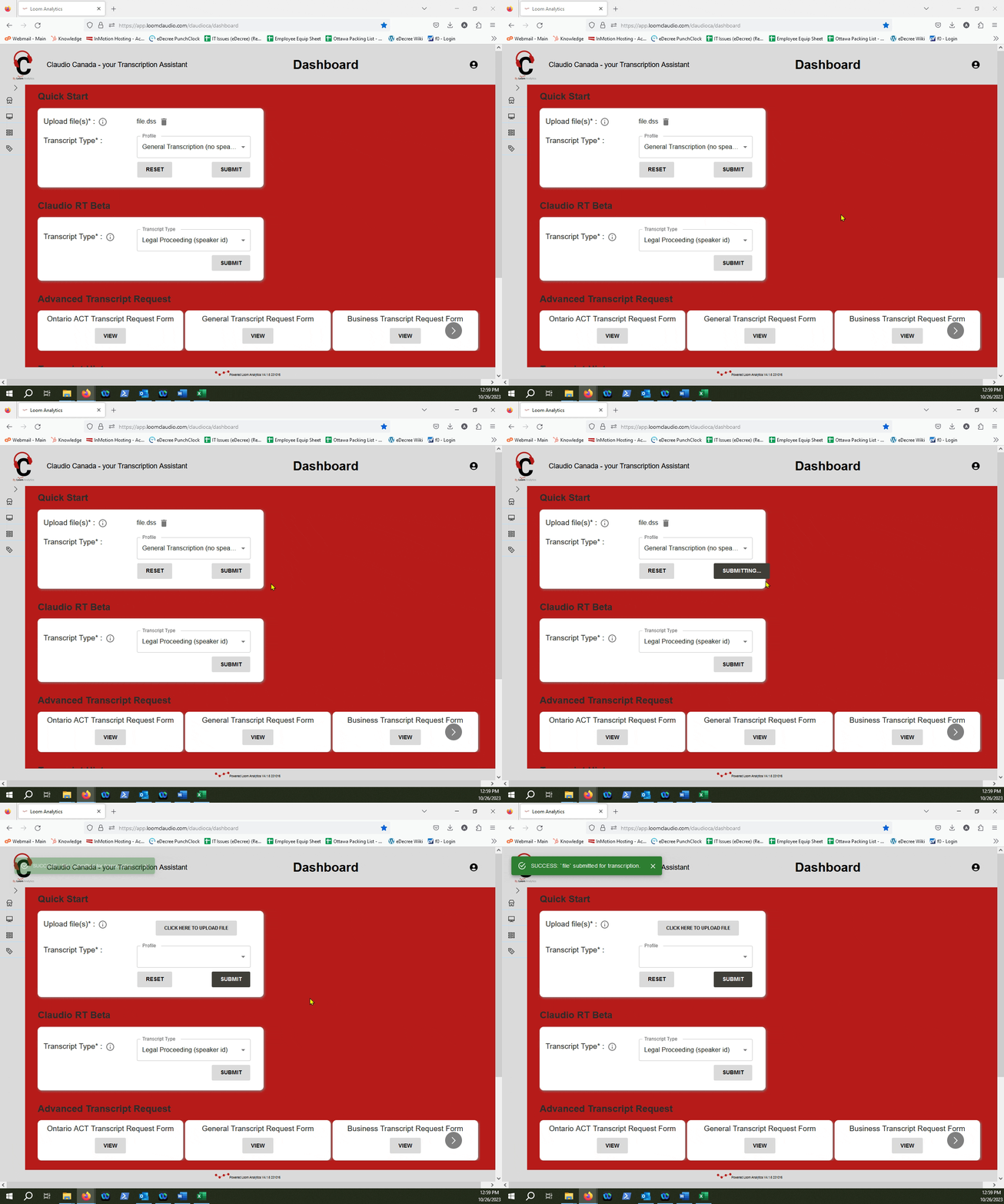
Retrieve your finished text file
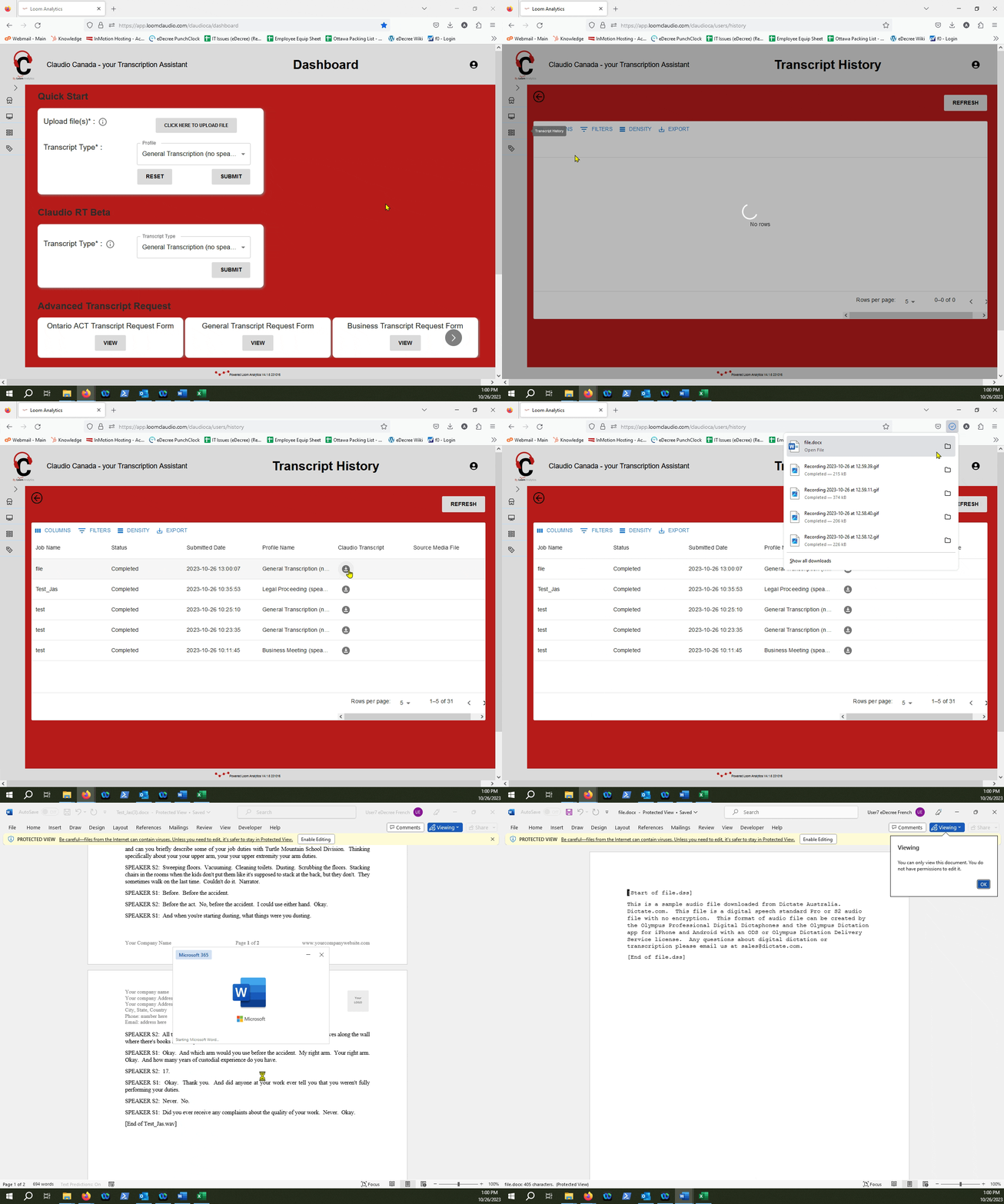
NOTE: To learn more about how you can retrieve your finished text files, check out this article.