![Loom_Analytics_Logo_Transparent.png]](https://support.loomanalytics.com/hs-fs/hubfs/Loom_Analytics_Logo_Transparent.png?height=40&name=Loom_Analytics_Logo_Transparent.png)
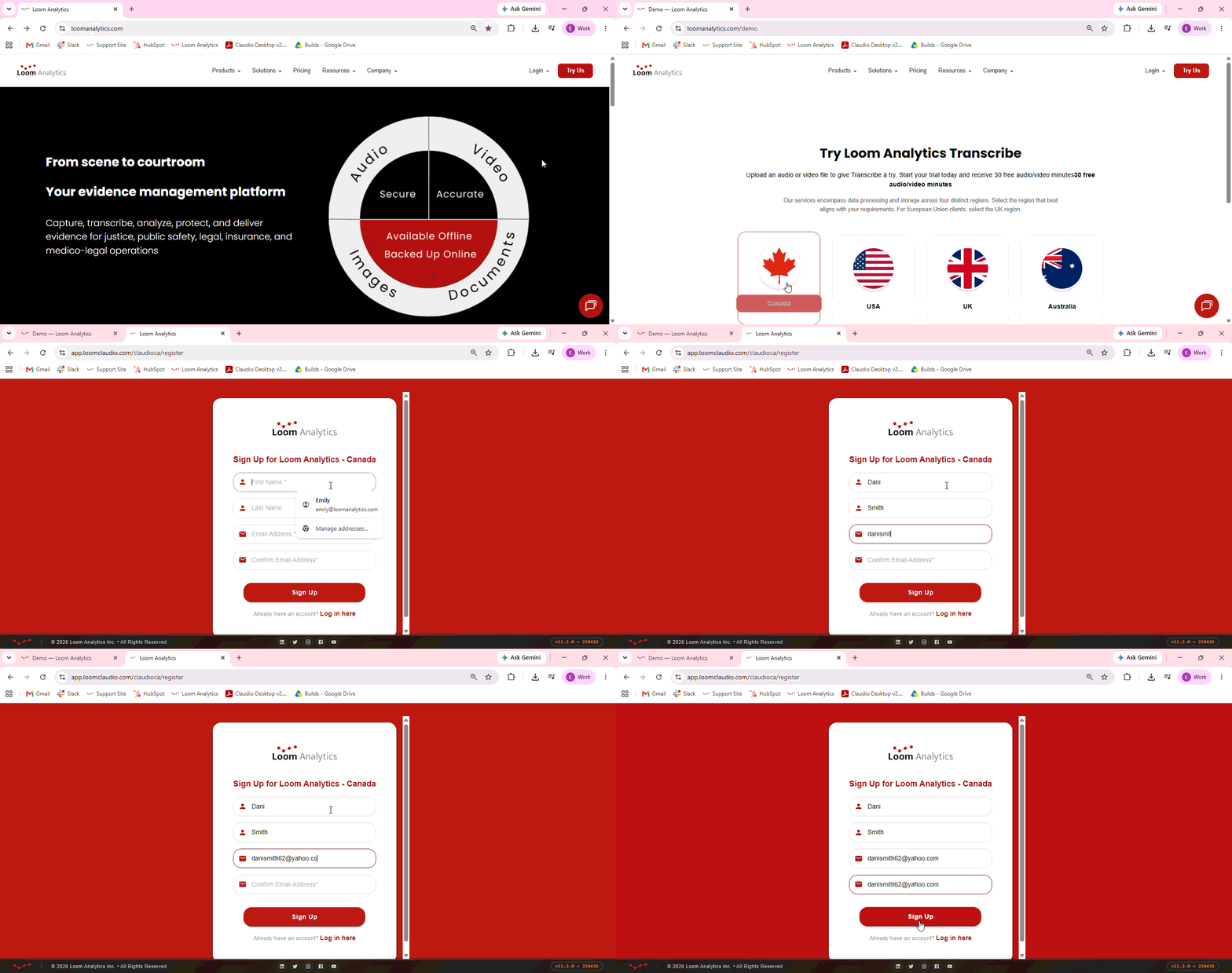
Step 1: Visit the Loom Analytics website here.
Step 2: Click Try Us on the top-right hand corner and select your region. Please note that you will not be able to log in to a region other than the one you have selected during this step.
Step 3: Click Create and fill in necessary fields.
Step 4: Check your email and click on the activation link. This will take you to the Loom Analytics Web account activation form.
Step 5: Choose a strong password and re-enter it in the Confirm Password field.
Step 6: Enter the referral code if applicable. Please note the referral code is optional and sign up can be completed without it.
Step 7: You will receive a 6-digit authentication code. Click the icon on the right-hand side to resend the code if you have not received it. Please note you will receive the code via email if your team settings are configured to receive codes to the email registered with Loom Analytics Web.
Step 8: Enter the received authentication code and click Submit.
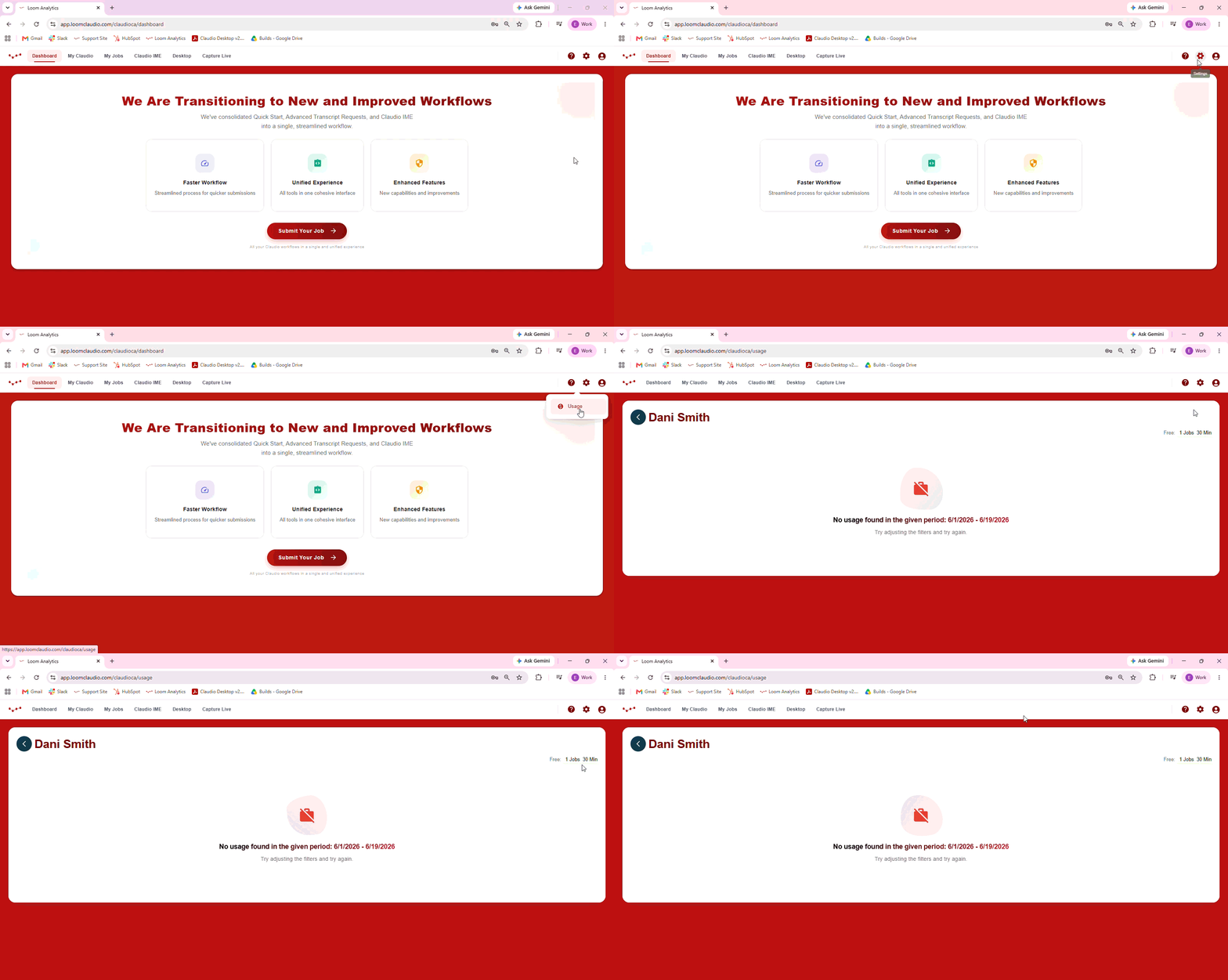
Step 9: Once on the Dashboard page, navigate to Settings to see your usage. You can now submit a job or use Capture Live free of charge for the first 30 minutes of your audio or video material.
Need further assistance?
- Email our support team at support@loomanalytics.com
- Give us a call at:
- Canada: +1 647-362-4671
- Toll Free USA/Canada: +1 877-915-5666
- Toll Free Australia: +61 1800-941-128
- Toll Free UK: +44 808-164-1677