To check your submitted jobs:
-
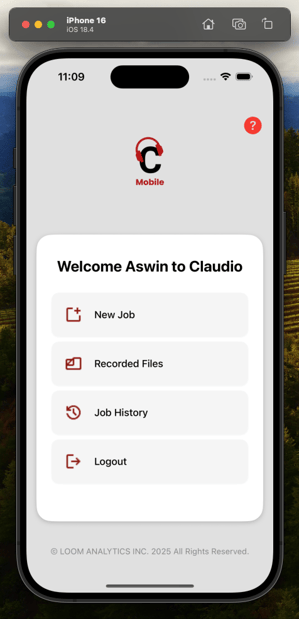
Tap Job History from the Dashboard.
-
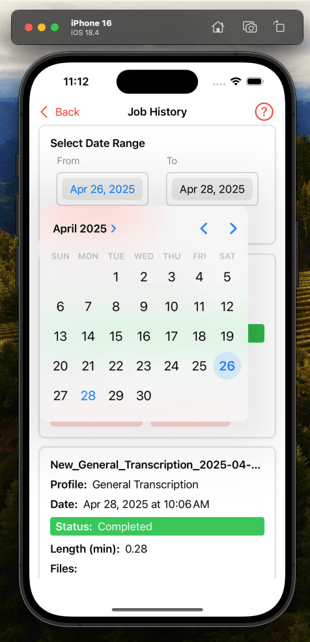
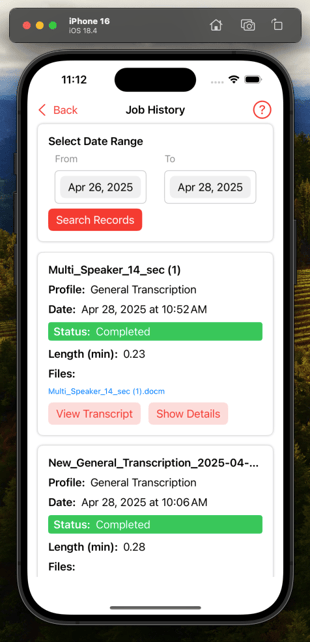
Use filters like Date Range to narrow your search.
.png?width=310&height=643&name=Screenshot%202025-04-28%20at%2011.14.44%20AM%20(1).png)
-
View:
-
Job Name
-
Submission Date
-
Status (Processing, Completed, Failed)
-
Available transcripts and download links
-
![Loom_Analytics_Logo_Transparent.png]](https://support.loomanalytics.com/hs-fs/hubfs/Loom_Analytics_Logo_Transparent.png?height=40&name=Loom_Analytics_Logo_Transparent.png)
Tap Job History from the Dashboard.
Use filters like Date Range to narrow your search.
View:
Job Name
Submission Date
Status (Processing, Completed, Failed)
Available transcripts and download links