![Loom_Analytics_Logo_Transparent.png]](https://support.loomanalytics.com/hs-fs/hubfs/Loom_Analytics_Logo_Transparent.png?height=40&name=Loom_Analytics_Logo_Transparent.png)
To access and manage your recordings:
-
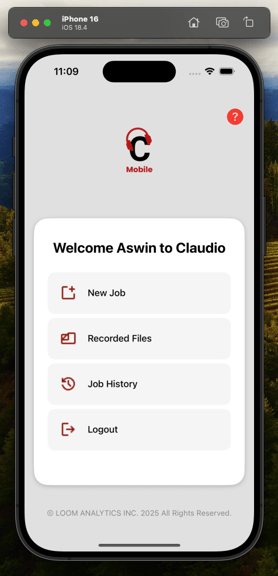
Tap Recorded Files on the Dashboard.
-
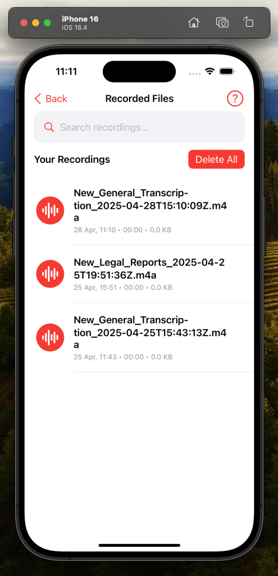
From here you can:
-
Play back audio files.
-
Search recordings.
-
Select and delete unwanted recordings.
-
Deleted recordings cannot be recovered. Make sure you’ve uploaded them before removing.
Note: You can listen to saved recordings without an internet connection.