![Loom_Analytics_Logo_Transparent.png]](https://support.loomanalytics.com/hs-fs/hubfs/Loom_Analytics_Logo_Transparent.png?height=40&name=Loom_Analytics_Logo_Transparent.png)
Table of Contents
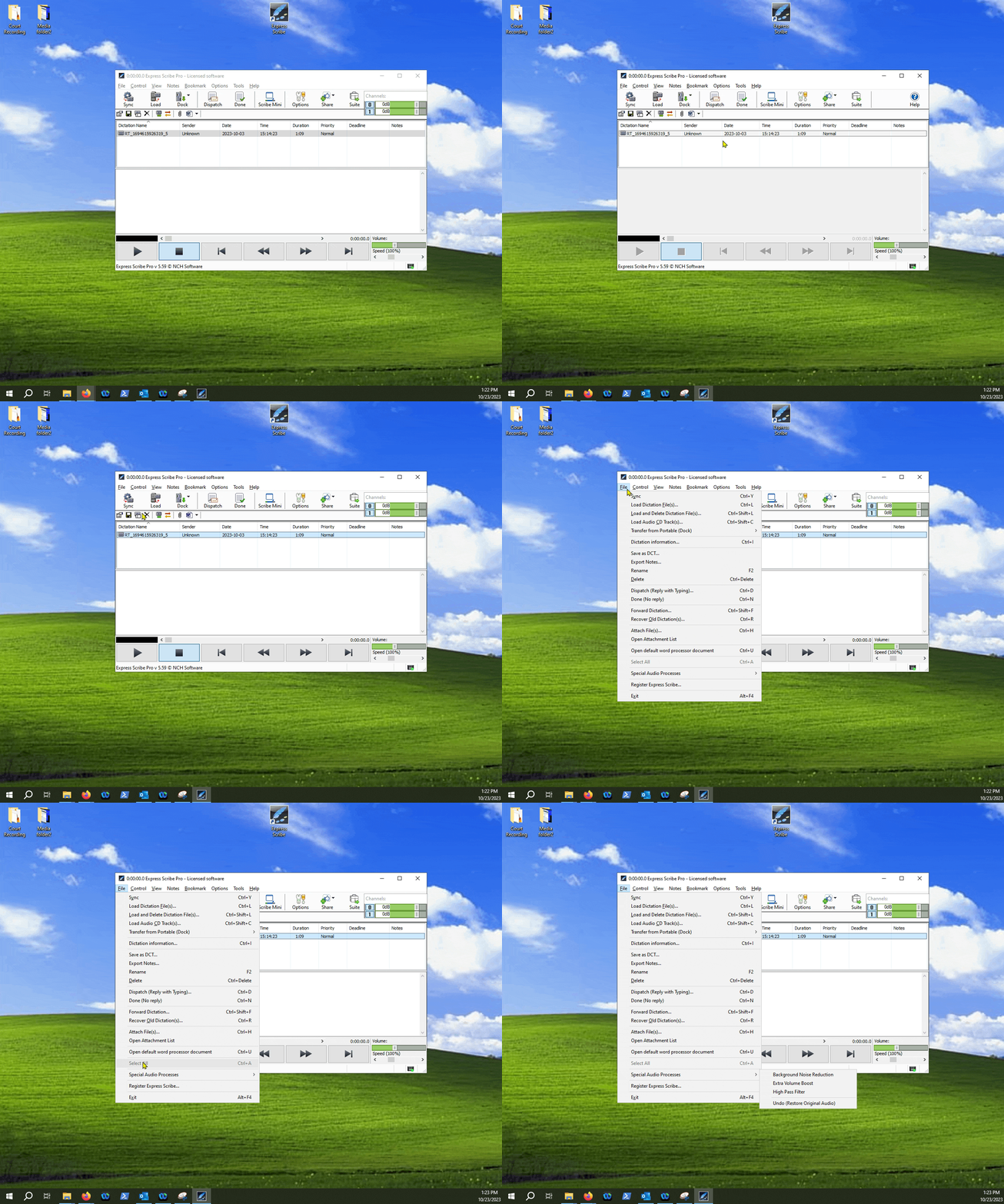
1.Finding the File tab.

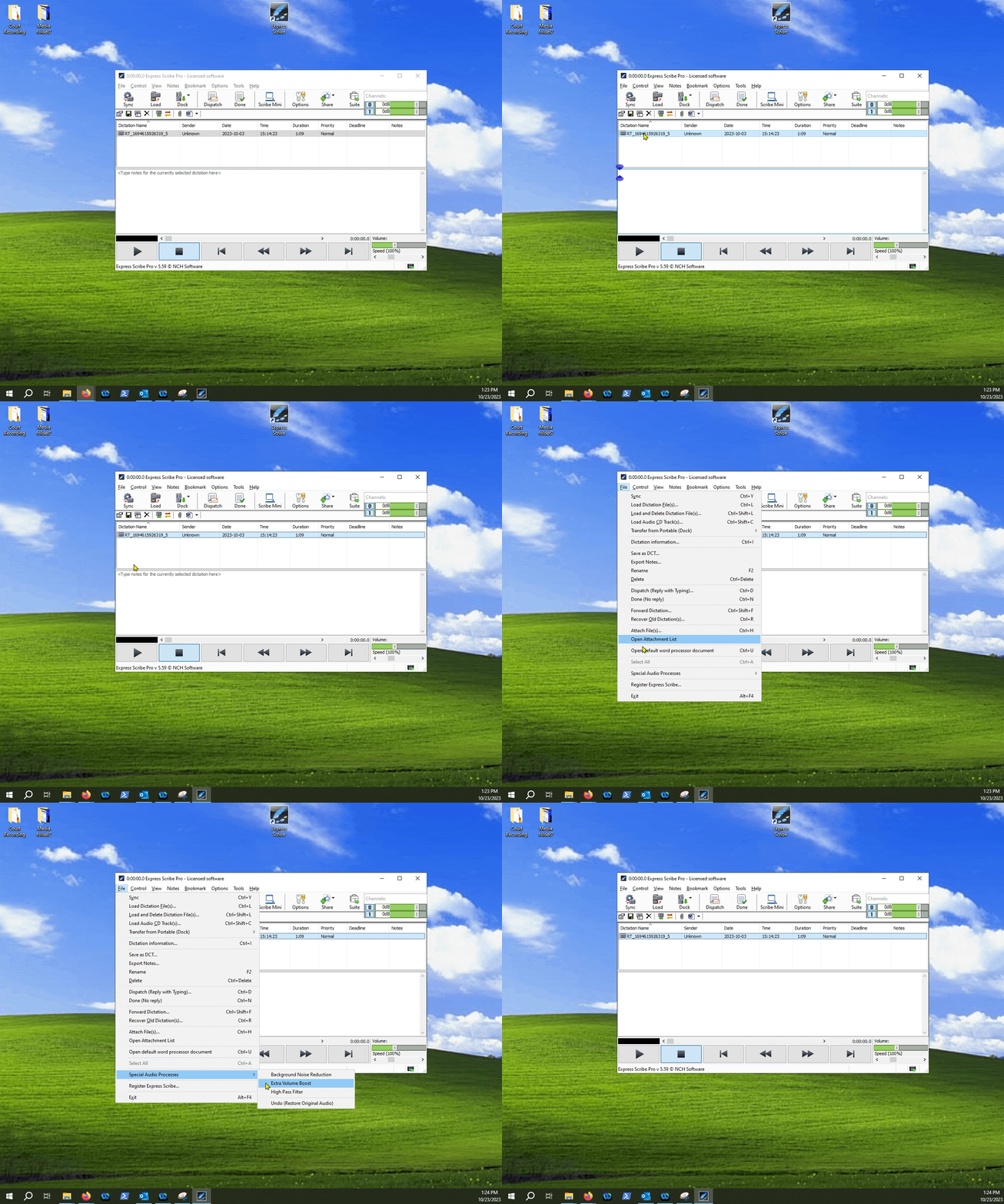
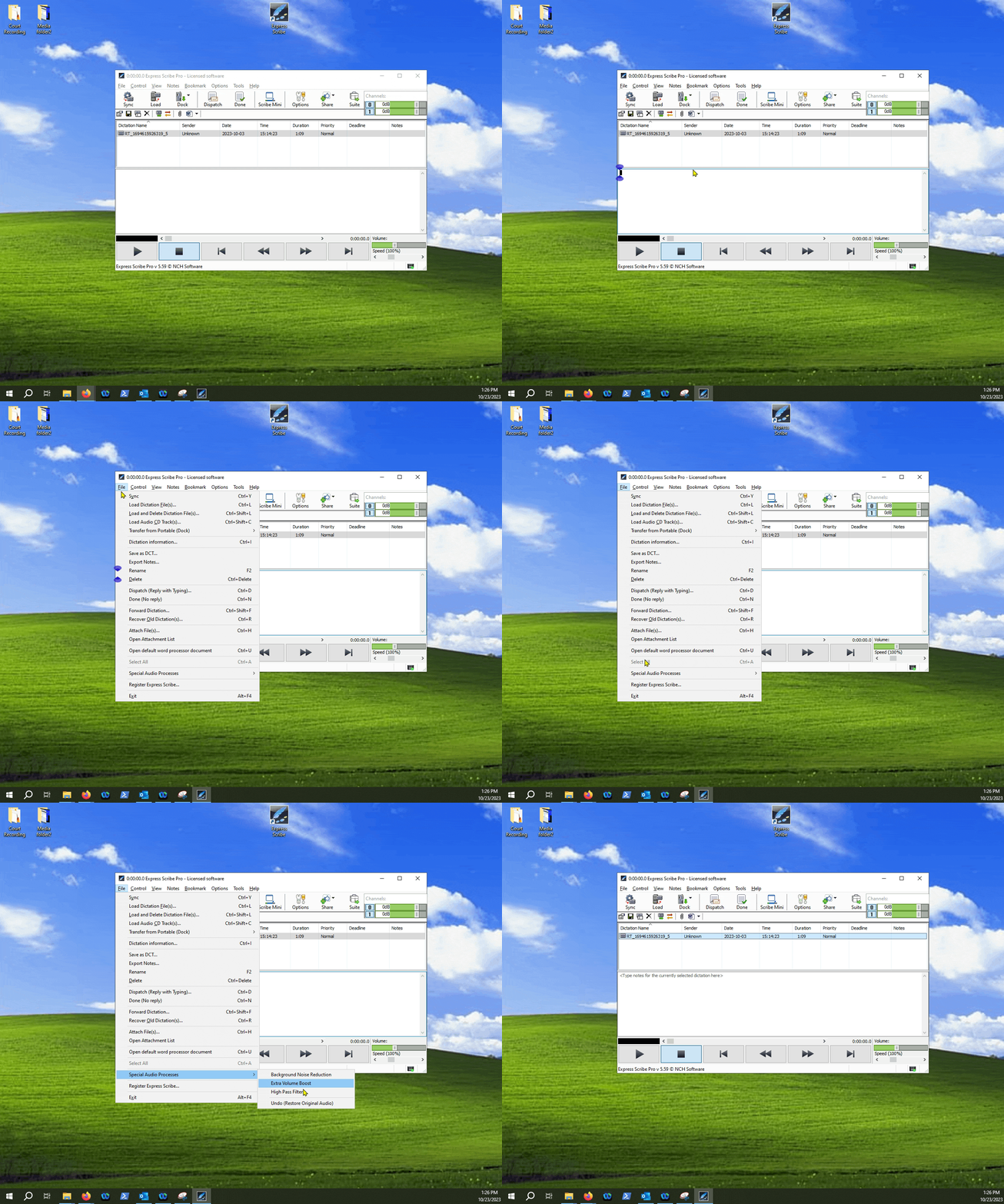
2.Finding the Special Audio Processes menu.

3.Selecting options for audio enhancement.

4.Undoing changes.
If you happen to be working on a file and find it difficult to understand what is being said, there is a special menu you can take a look at within Express Scribe that may help with audio quality.
The menu will include the following options that can help with improving audibility of your recording:
Background Noise Reduction
Extra Volume Boost
High Pass Filter
Follow the below guide to find the settings: