![Loom_Analytics_Logo_Transparent.png]](https://support.loomanalytics.com/hs-fs/hubfs/Loom_Analytics_Logo_Transparent.png?height=40&name=Loom_Analytics_Logo_Transparent.png)
You will need an account on a Loom Analytics platform. This account needs to have the correct role assigned, Team Administrator, to access the API Integration section from the navigation bar when you log into your Loom Analytics account. If you do not have an account on Loom Analytics yet, click here to access the guide to register.
If you have an account on Loom Analytics but you still do not have access to the API Integration section, you can get in touch with our support team by clicking here.
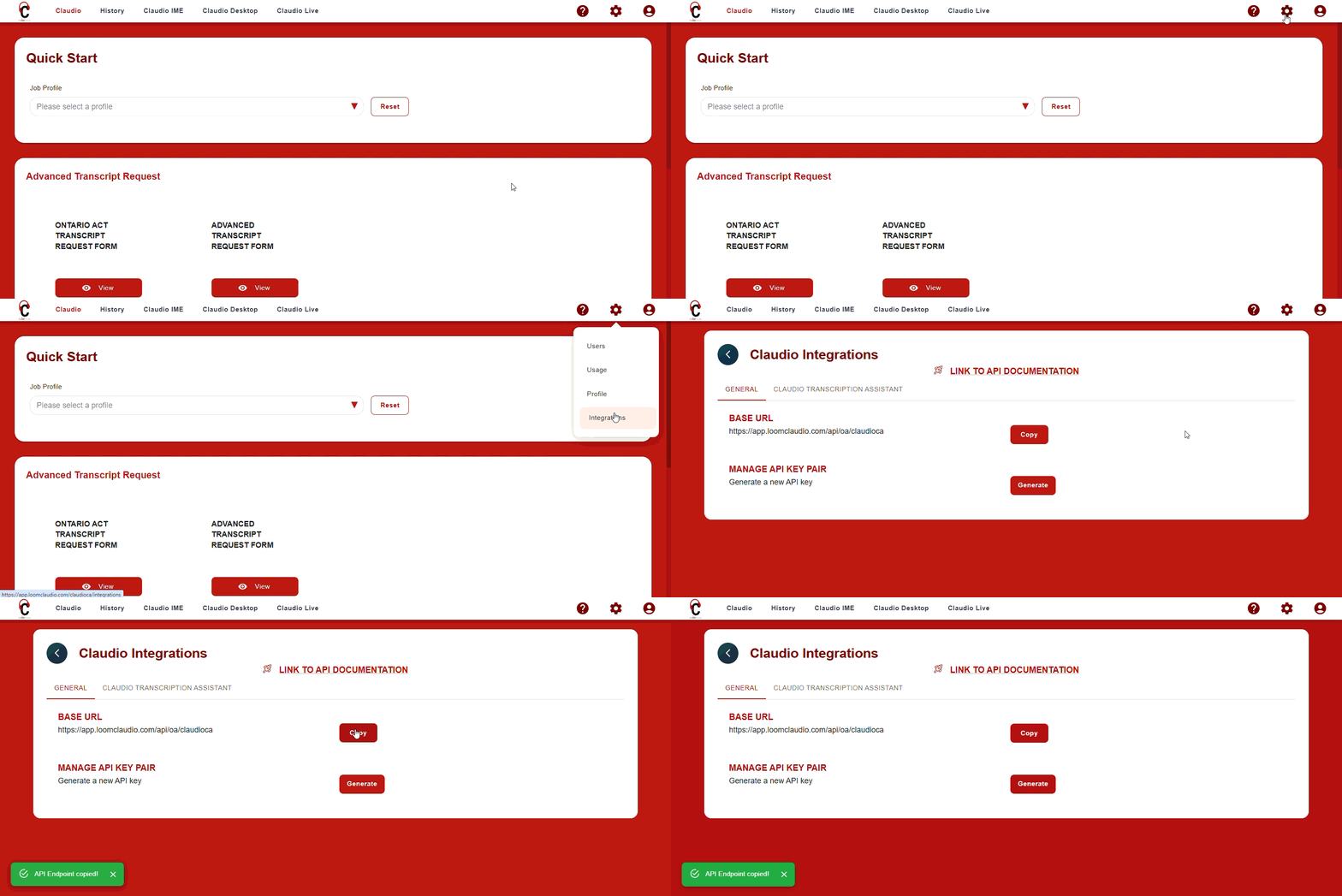
To access the base URL, click on the gear icon on top right, then select Integrations.
On the General tab, base URL will be available. Click on the 'Copy' button to copy the URL to your clipboard.