![Loom_Analytics_Logo_Transparent.png]](https://support.loomanalytics.com/hs-fs/hubfs/Loom_Analytics_Logo_Transparent.png?height=40&name=Loom_Analytics_Logo_Transparent.png)
Step 1: Log in to your Loom Analytics Web account. Detailed instructions can be found here.
Step 2: Once logged in, go to your account settings found at the top right-hand corner.
Step 3: Click on the Security tab.
Step 4: Click Edit to update the MFA fields. Enter the country code and your phone number.
Step 5: Enter the 6-digit verification code sent to your phone number and click Update.
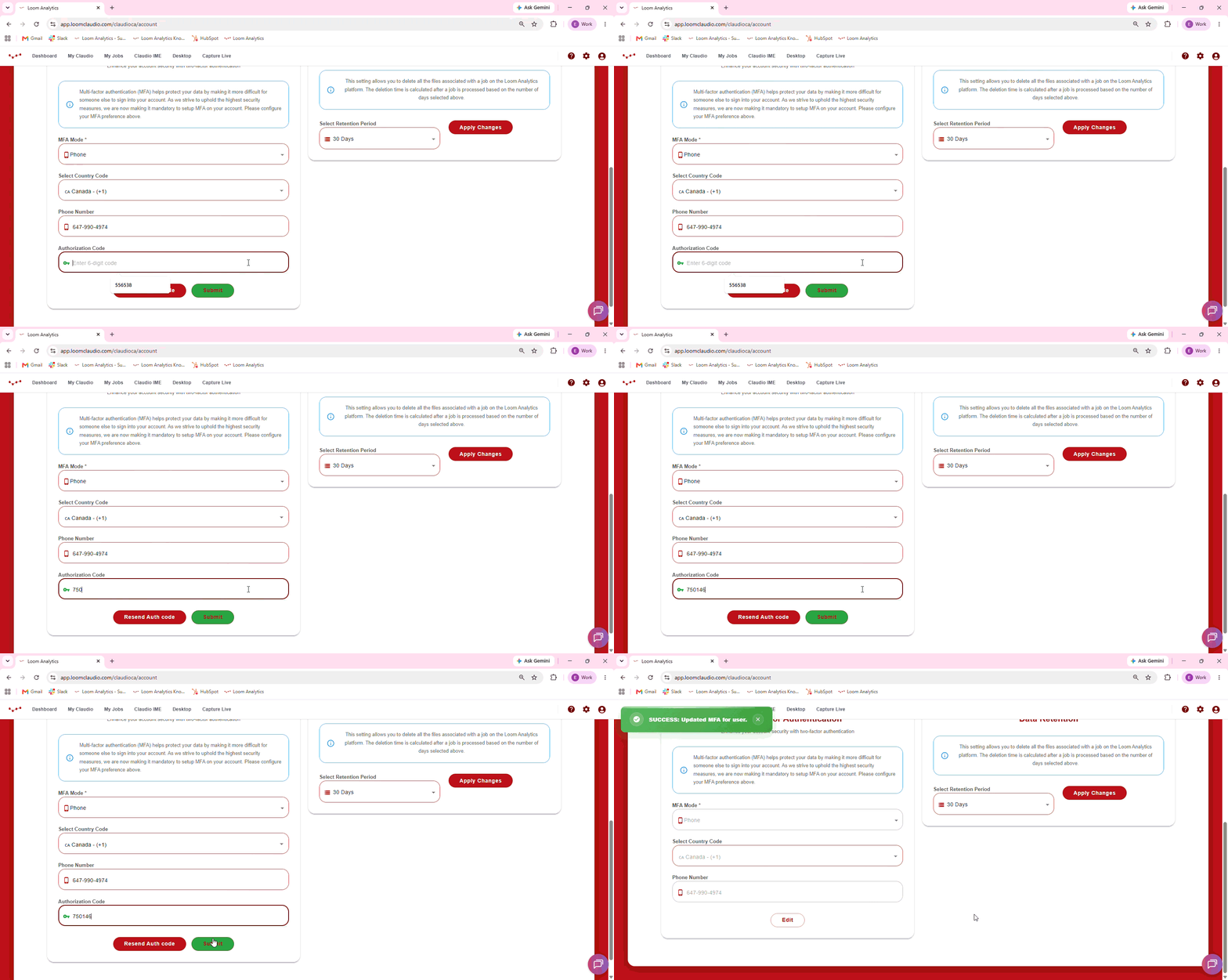
You have now successfully set up MFA!
Note: An authorization code is now required every time you log in. However, if you close the browser window without logging out, you can return to Loom Analytics Web later without needing to log in again. In this case, the system will not prompt you for an authorization code.
Please note that the system will automatically log you out at least once every 30 days, after which you will need to log back in and enter the authorization code.
As many clients handle primarily sensitive data, the use of multi-factor authentication ensures an added layer of security.