![Loom_Analytics_Logo_Transparent.png]](https://support.loomanalytics.com/hs-fs/hubfs/Loom_Analytics_Logo_Transparent.png?height=40&name=Loom_Analytics_Logo_Transparent.png)
TIP: If you wish to try out Loom Analytics Web, create a trial account here and get your first 30 minutes of audio or video material transcribed for free.
NOTE: To review the various features that Loom Analytics Web offers, click here.
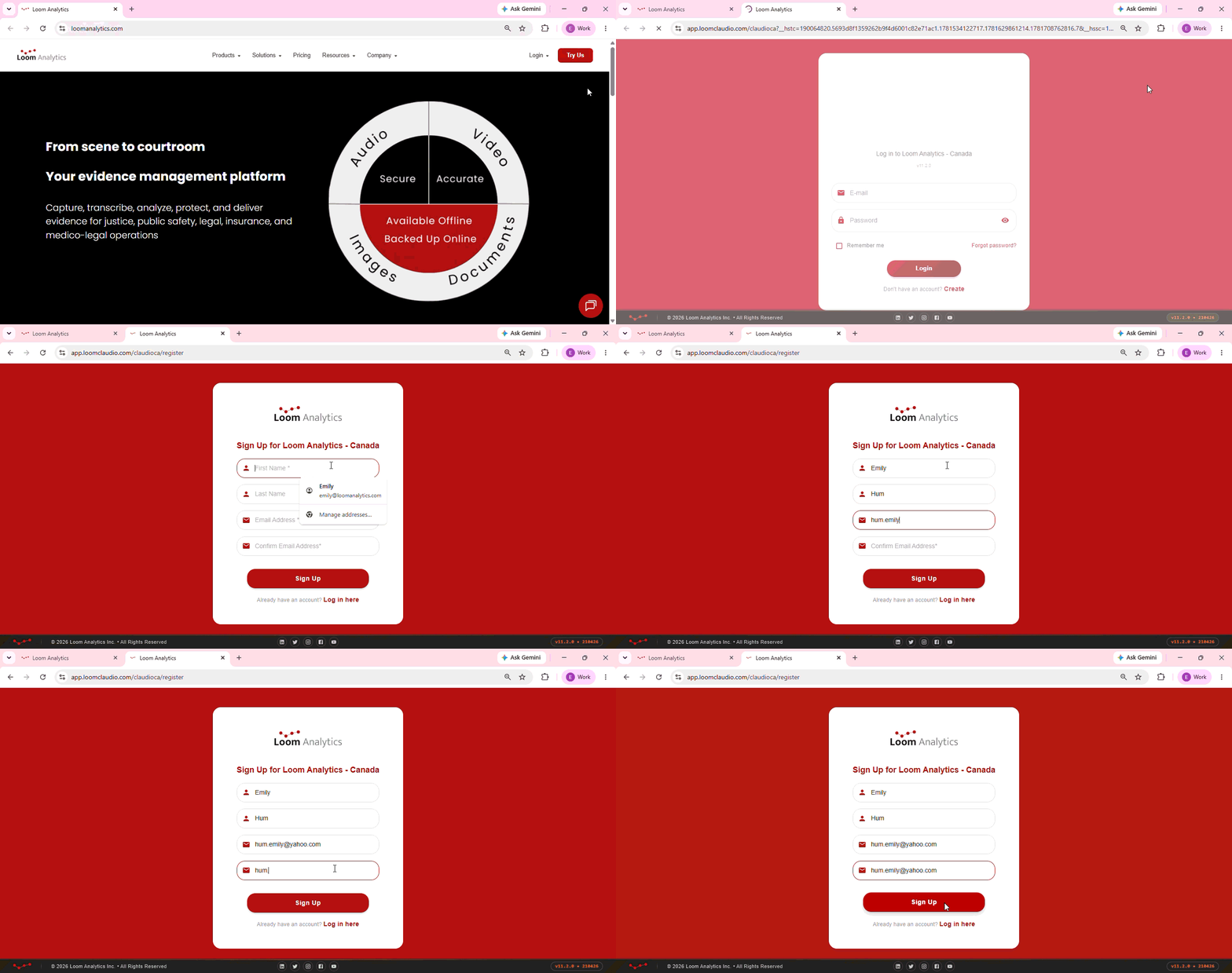
Step 1: Visit the Loom Analytics website here.
Step 2: Click Login on the top-right hand corner and select your region. Please note that you will not be able to log in to a region other than the one you have selected during this step.
Step 3: Click Create and fill in necessary fields.
Click here for steps on how to activate your Loom Analytics Web account.